


Week 12 - Candles and roofing
- Sam Ayer
- Apr 12
- 2 min read

Updated: May 5
I received feedback from my lecturer at the start of this week to add interest to blank areas such as the one I have circled here.

I decided to fill this area - and similar ones in the top half of the scene - with some roofing and hanging lights which would be visible from the camera in certain areas. My aim was to use this to had some more depth and make the environment feel more like a real interior. I first created simple wooden planks which would be used as the roofing using Maya, ZBrush and Substance Painter.

I then laid it out along the top of the scene so that it is just visible by the camera as simple roofing frames.


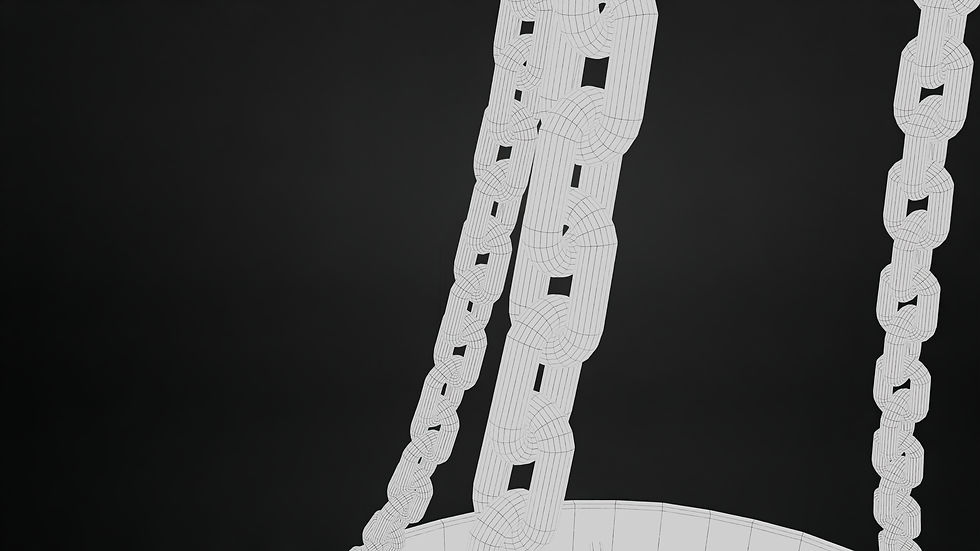
I then wanted to created a hanging light which could also use the fire particle effect which I had previously created. The asset would be hanging from chains which will be quite high poly. I added most of the detail in Substance Painter creating patches of wear and roughness.


I added the hanging lights across the top of my scene in various locations.

I used a spot light shining above the lights to create the glow and shadows on the floor underneath them.

I next created candles which I could be placed on top of my shrine as well as on the tables and floor around my scene. I created the initial model in ZBrush, starting with a cylinder and used the Inflate and Clay Build Up brushes to sculpt the wax. I then took the model into Maya and used quad draw to create a low poly for the model.
I then baked the high poly onto the low in Substance Painter and created materials for the wax and wick. The wax was mostly made using a combination of curvature, world space normal and dirt generators to make the colour and roughness variation follow the form of the wax drips. I also used drip alphas with low roughness to give a melting effect. I put all three candles in one material for optimisation.

To create the candle flames, I followed a tutorial (Criteon, 2025) on how to create a Niagara particle system which removed the gravity and created long vertical particles which got smaller as they reached the top.

I then placed the candles on the shrine, on tables and on the floor, as well as adding the flames to my previous candles.


I then took in game renders of how the candles and roofing looks:


Bibliography:
Criteon (2025). Easy Flame Effect Unreal Engine 5.7 Tutorial. [online] YouTube. Available at: https://www.youtube.com/watch?v=hVNRv1gnoSM.


Comments